
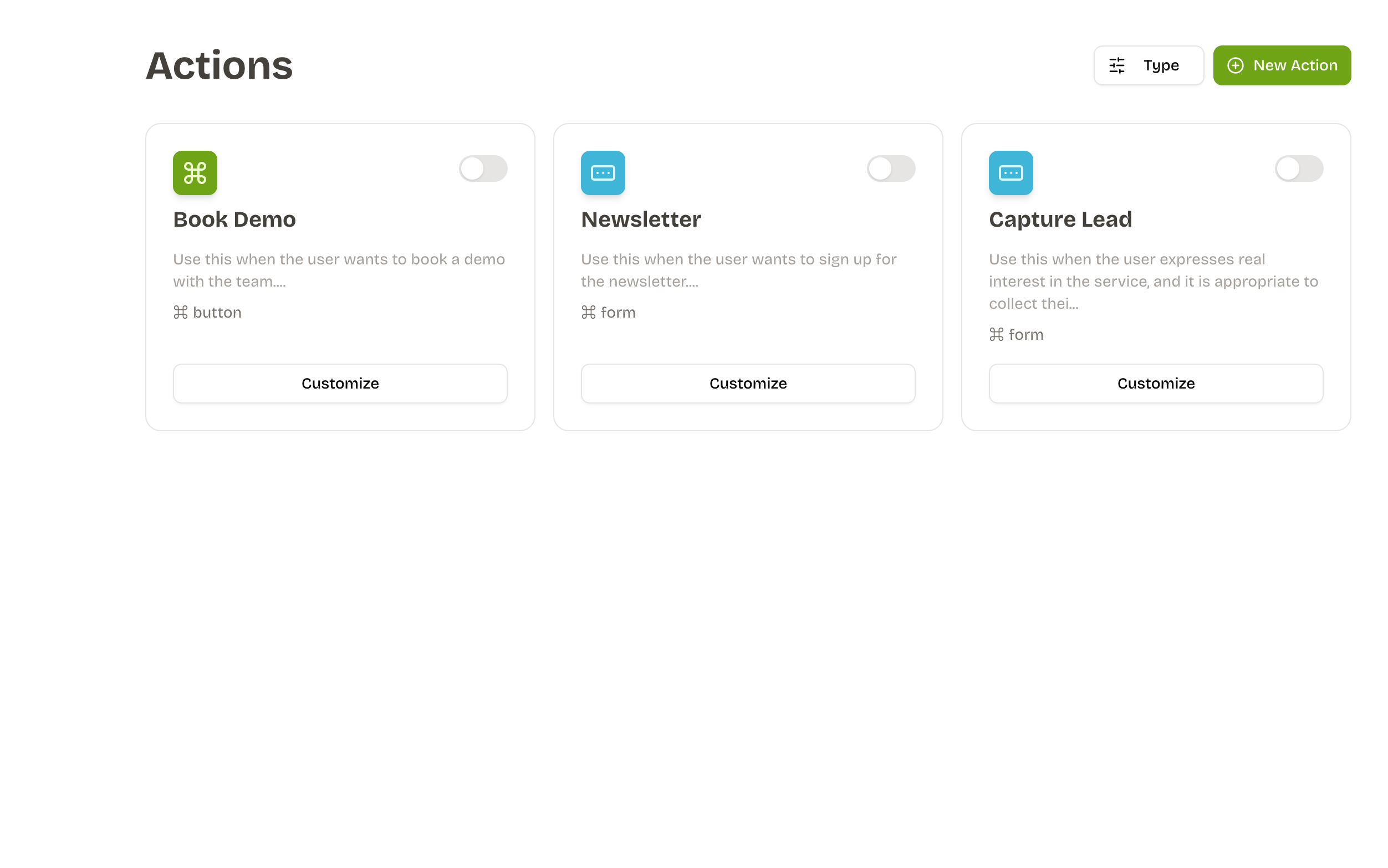
Actions let the assistant do something for the user instead of only replying. Each action has:
- A name and description that tell the AI when to use it
- A type that controls what the user sees: Button, Form, or API Action
- An event that decides whether we open a link or call an API
How the assistant decides
Names and descriptions are sent to the model. Write them as cues, e.g.:
- Name:
book_demo - Description: "Use when the user wants a sales demo. Collect email and company name before proceeding."
Keep them unambiguous and avoid overlap between actions so the model picks the right one.
Action Types
There are three action types:
- Button: Shows a single call-to-action in the chat.
- Form: Collects structured input, then submits it.
- API: Calls a backend silently (no UI).
Button Action
Show a single CTA in the chat. Two ways to use it:
- Open link: Perfect for booking links, docs, pricing pages. Set the destination URL; the button opens it in a new tab.
- Call API: Use when you want a one-click webhook (e.g., "Start trial"). Configure method, URL, headers/body, and any
{{variables}}.
Tips:
- Keep the button text action-oriented ("Book a demo", "Start trial").
- If the API requires context (email, plan), add identity variables and use them in headers/body.
Form Action
Collect structured input, then use the data to call an API.
- Add one or more fields (text, number, email, tel, date, textarea).
- Pick a submit button label.
- API call: Choose method and URL. Map headers/body fields; add
{{variableName}}to use identity data or form fields.
Good uses:
- Lead capture (email, company size)
- Support intake (order ID, issue type)
- Onboarding surveys
The user sees a small card in the chat with your fields and a submit button.
API Action
Runs a server-side request without showing any UI in the chat. Use this when the assistant should call a backend silently.
- Good fits: fetching product details, checking subscription status, logging events, enrolling a user in a program/newsletter.
- Configure method and URL; add headers/body as needed.
- Insert identity or action variables with
{{variableName}}(for example{{userEmail}}). - Define identity variables so the bot can supply the right fields automatically.
The assistant executes the call and relays a success/failure note in the conversation.
Event details for API calls
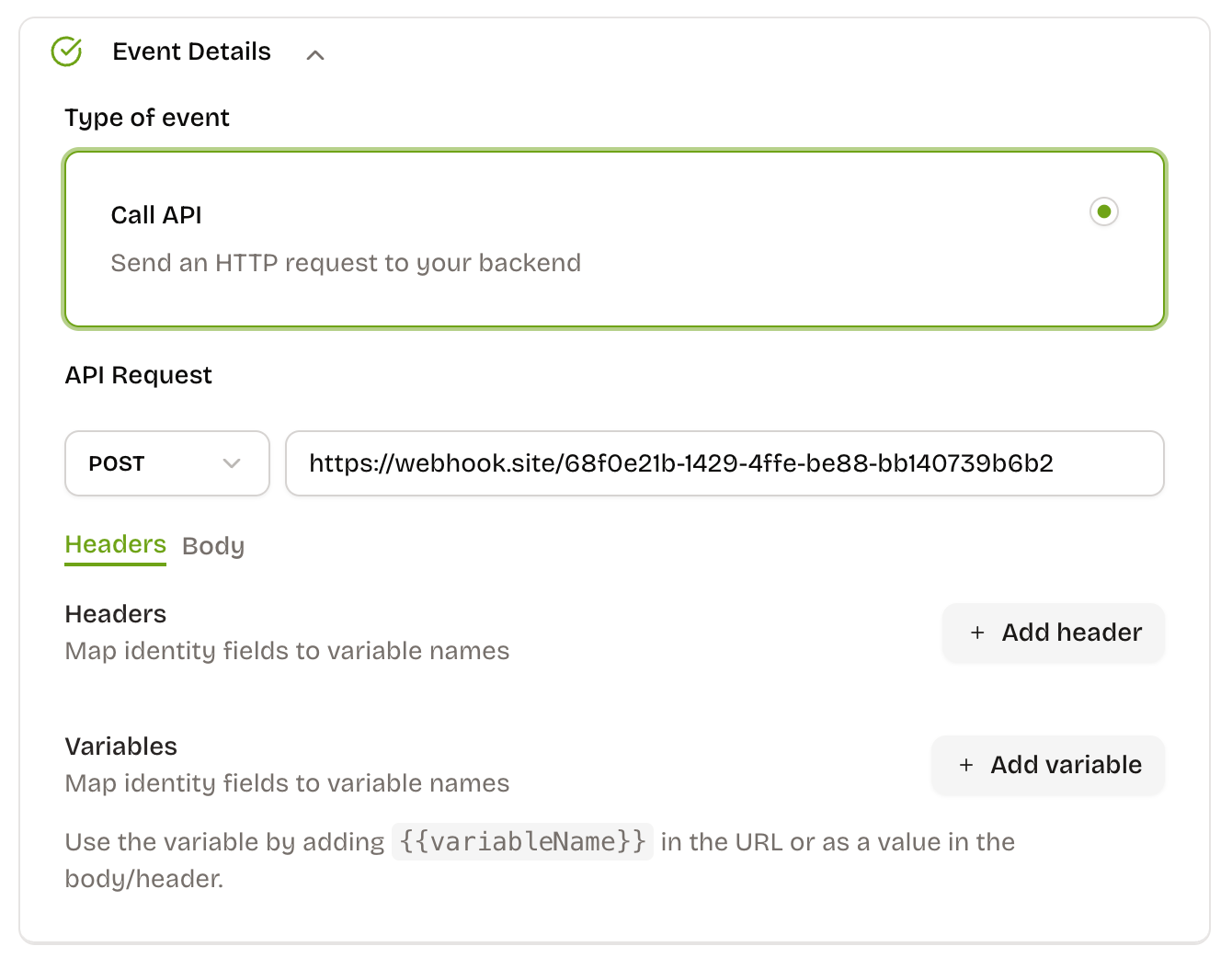
Use Event Details to configure what runs when a Form or API Action fires:
- Variables: map data from chat context or
userDetail.*to friendly names (e.g.,token,userEmail). - Usage: reference variables in the URL, headers, or body with
{{variableName}}.
Example:
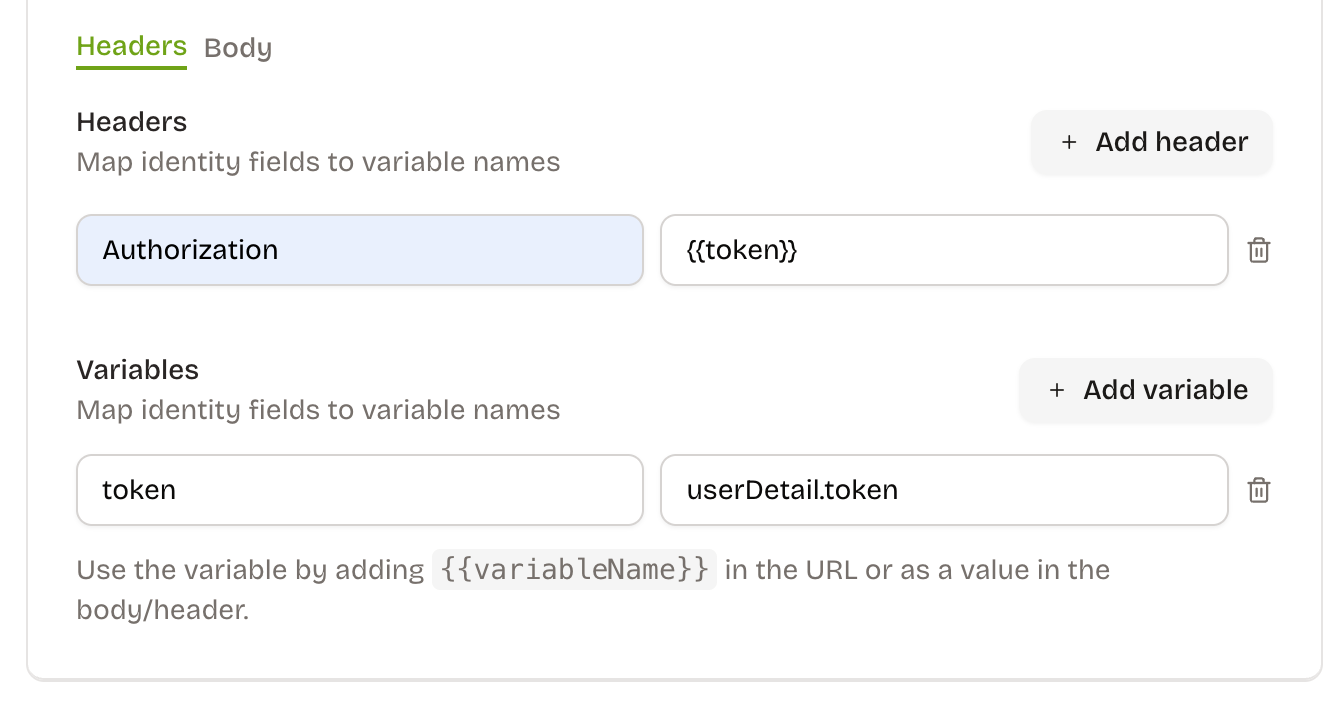
Here {{token}} resolves to userDetail.token provided via the Custom Data integration.